


New article
Recently updated
Downgrading a machine

Who is this article for?Administrators responsible for machine management.
Manage machines permissions are required.
Machines in Ideagen Machine Safety are one of four levels - Free, Plus, Edge, or Exchange. You can have a combination of machine levels in your membership and machines can be downgraded to a lower level at any time.
This article walks you through the process of downgrading a machine registered in your system.
1. Downgrading a machine
To downgrade a machine:
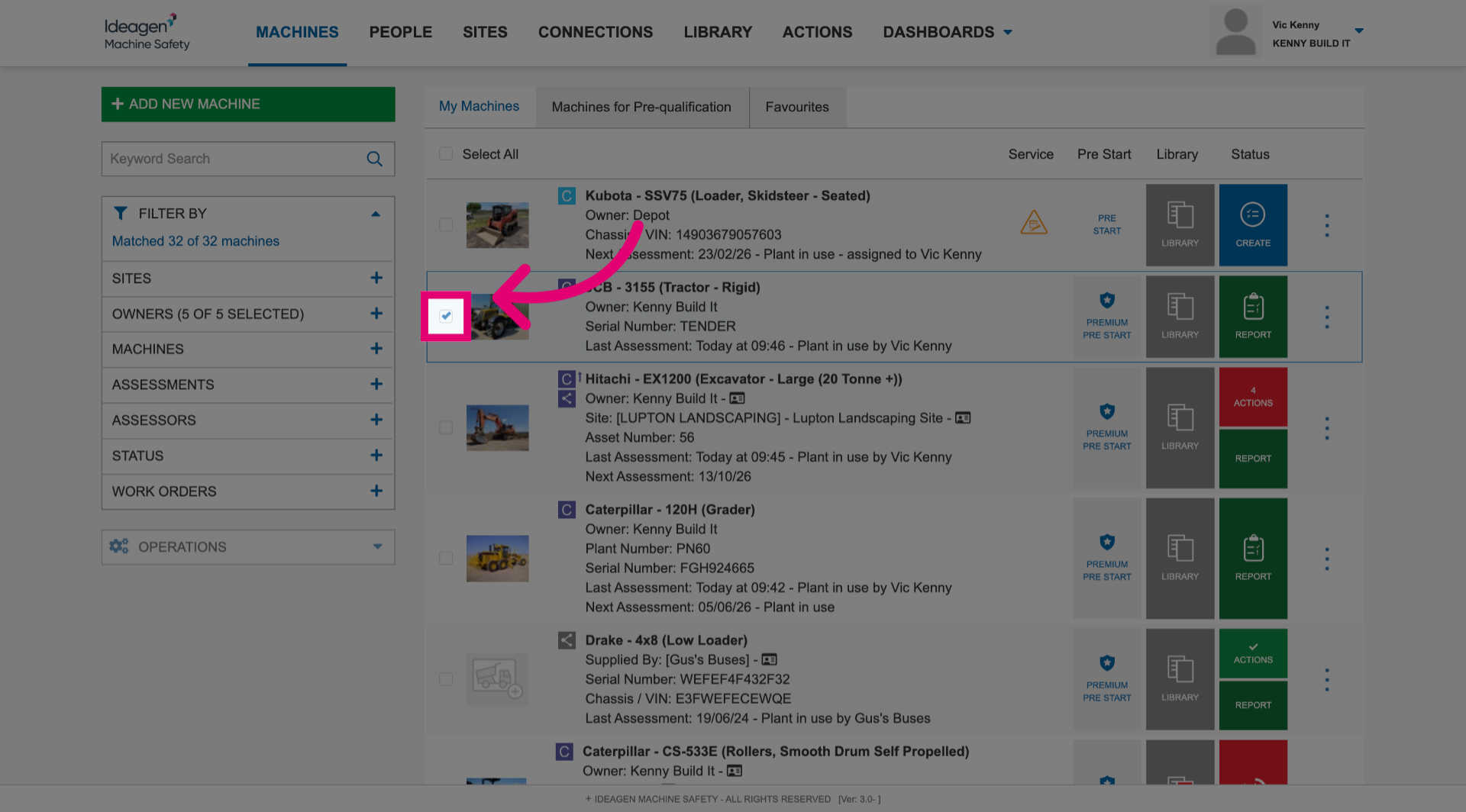
- Tick the box next to each machine you want to downgrade.
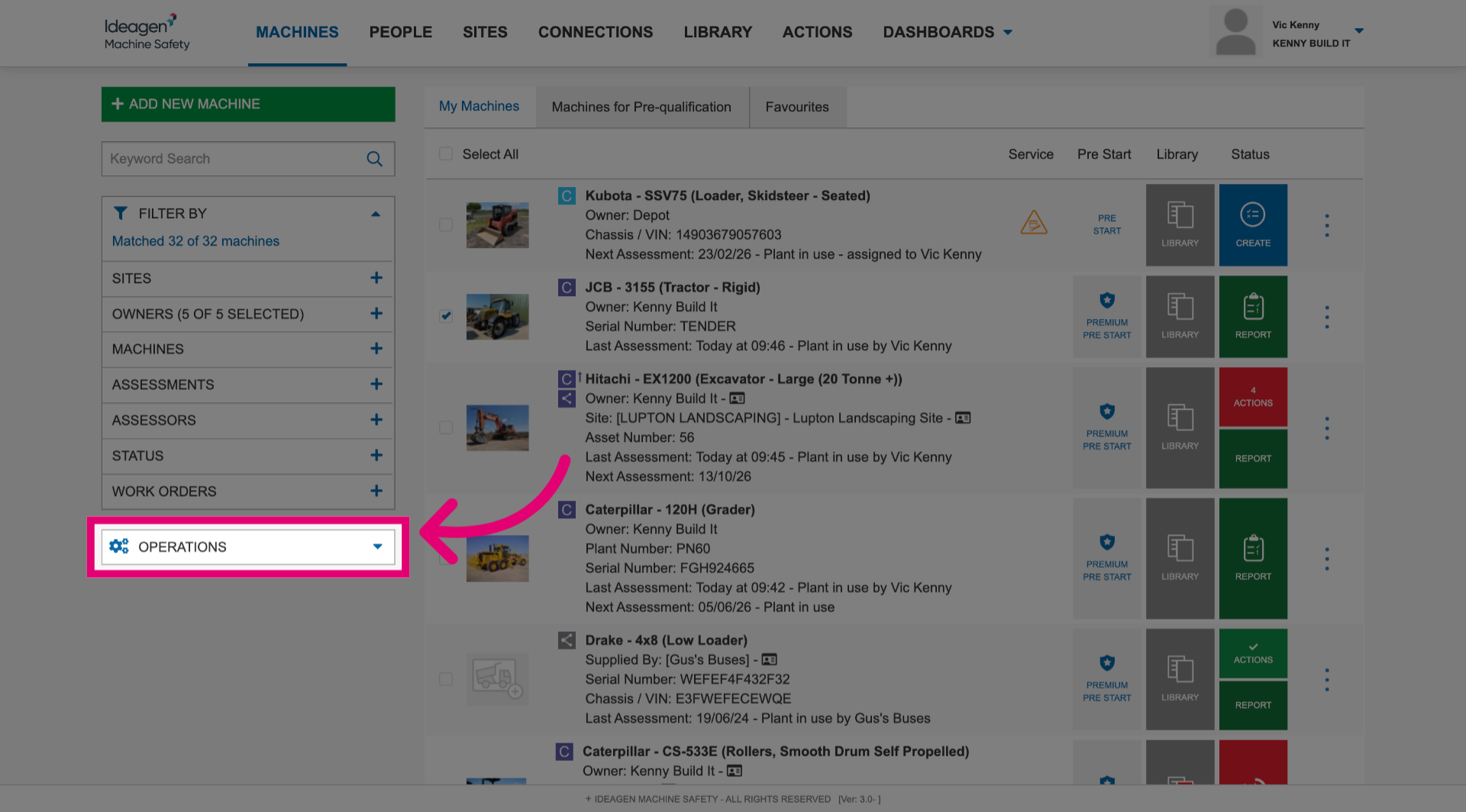
- Open the Operations menu.
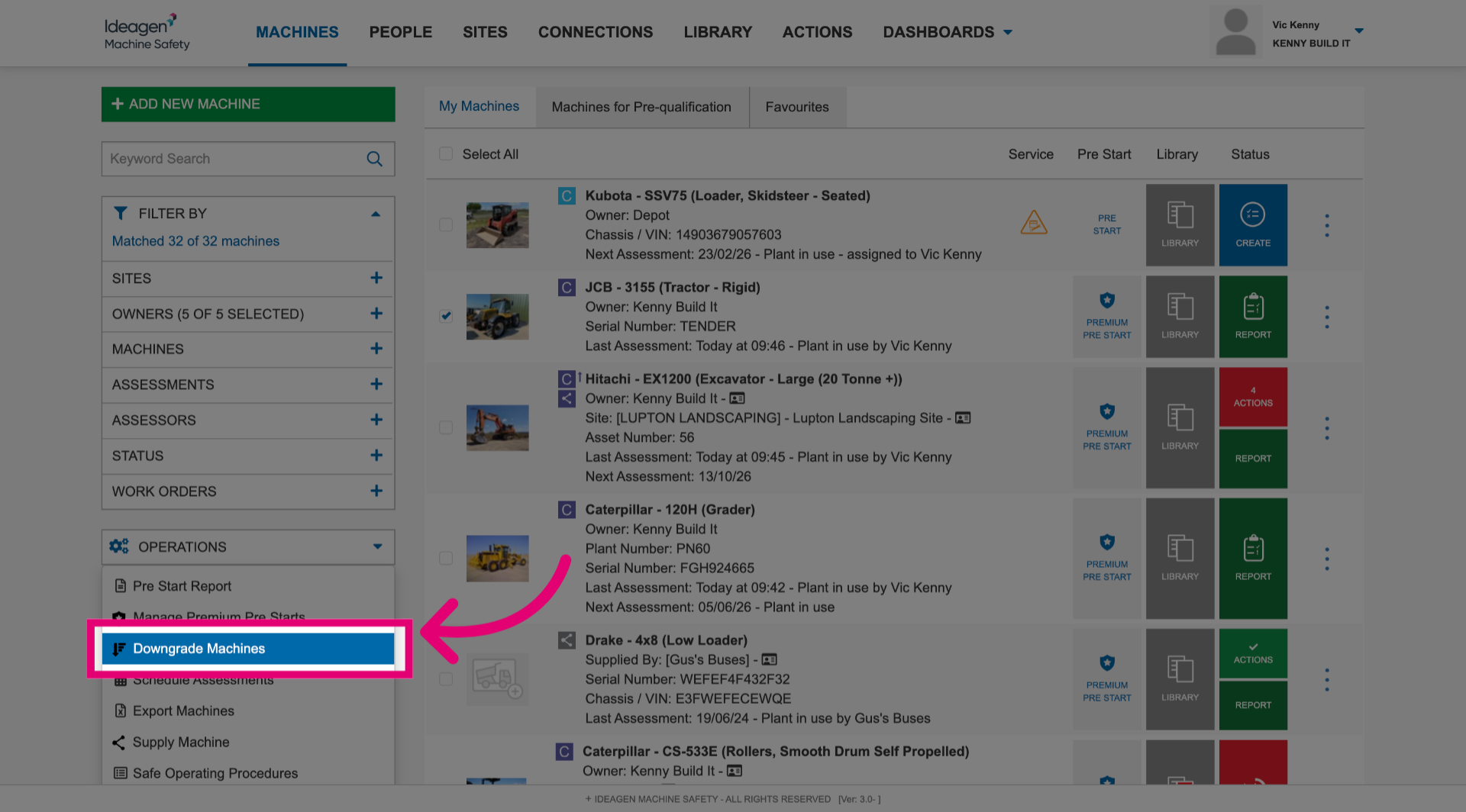
- Click Downgrade Machines.
- Select the new machine level.
- Review the changes that will take place once you finalise the process.
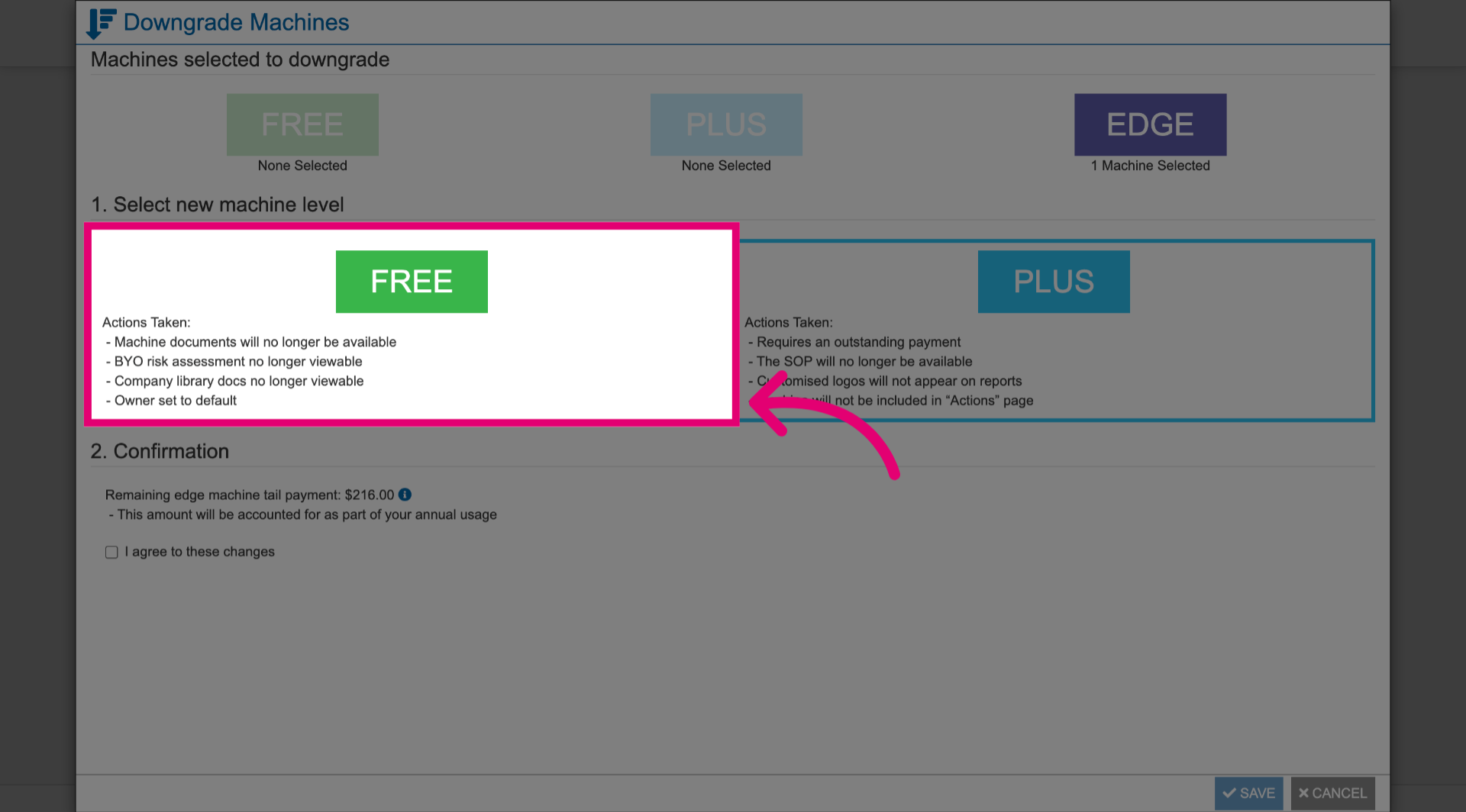
- Read through the Confirmation.
- Tick the box.
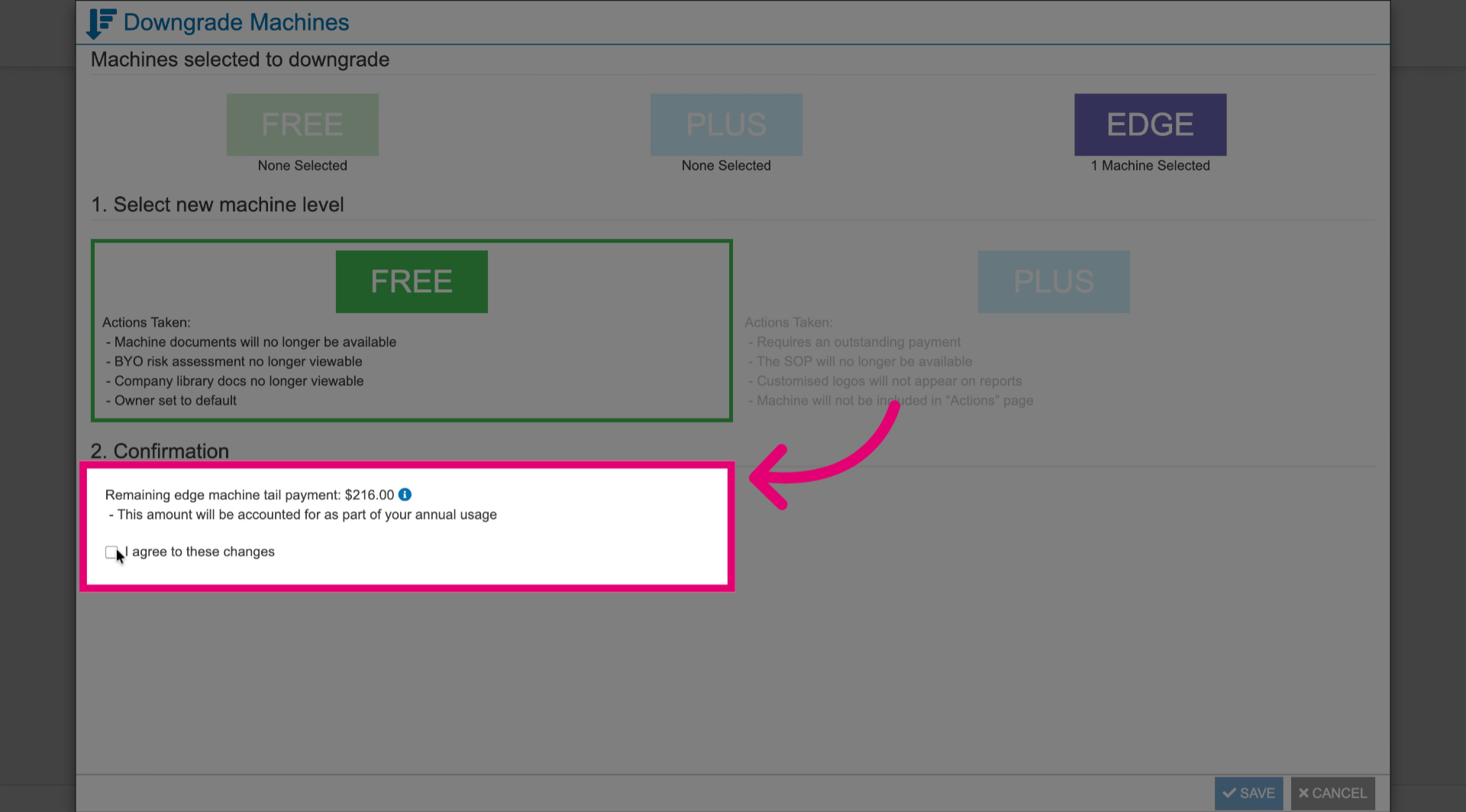
- Click Save.
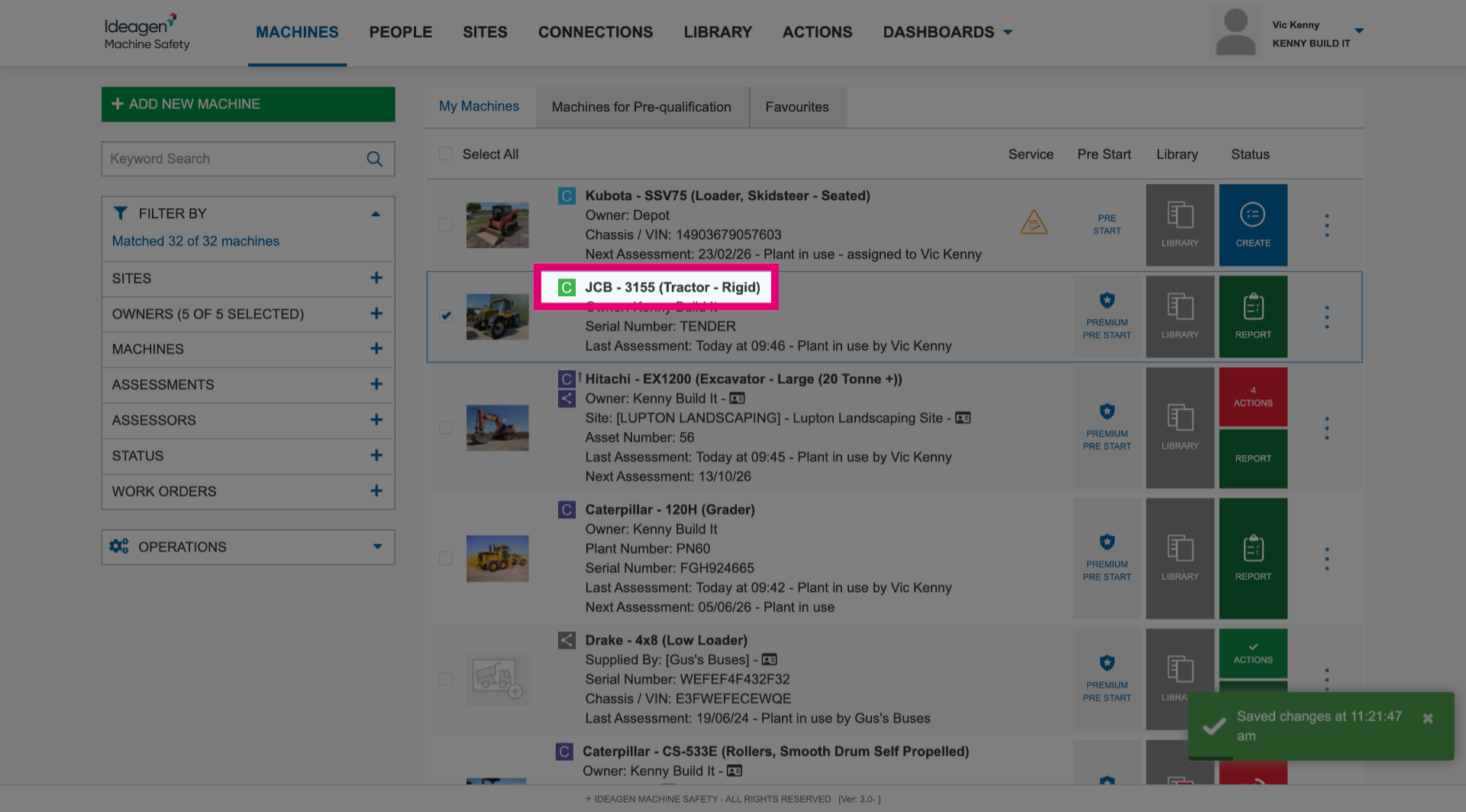
You will see that the downgraded machine now has a different colour in the list.
Downgrading a machine level means some system features will no longer be available. Machines that are still within a 12 month Edge level commitment will also require a tail payment. For more information on tail payments, visit our pricing explained article.
If you are unable to proceed, please ensure you only have one (1) machine selected at a time.
If you are a customer who has downgrades disabled, please contact your Customer Success Manager or Support for assistance. (This does not apply to PAYG customers).