


New article
Recently updated
Sharing a risk assessment report

Who is this article for?Users involved in the risk assessment process.
No special access or permissions are required.
Once a risk assessment survey has been completed, you can share the report for risk treatment management or for operator acknowledgement.
This article shows you how you can share risk assessment reports.
1. Sharing reports
You can share a report through your own channels by downloading a local copy or by emailing the report directly from the system.
1.1. Local copy
To share a report:
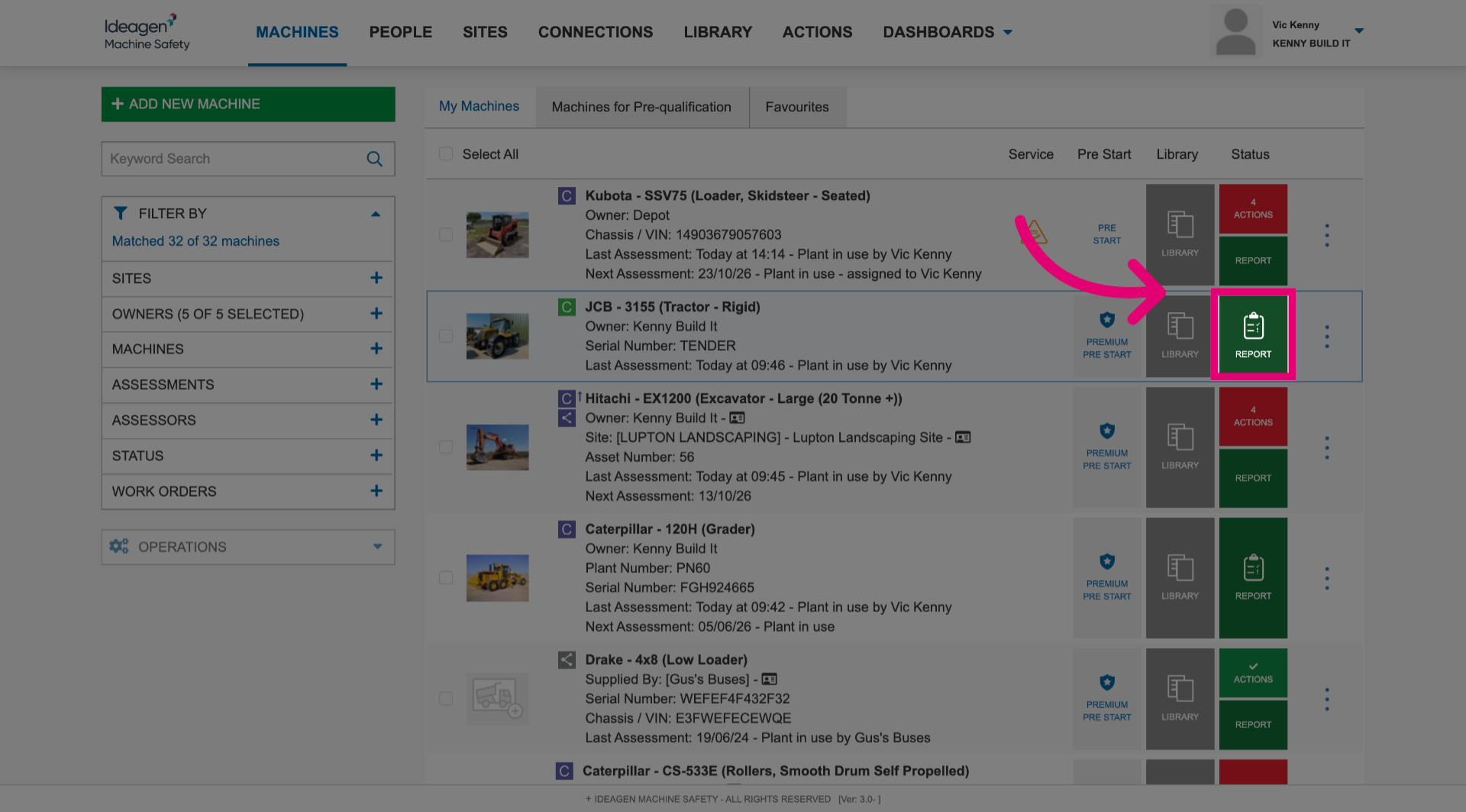
- Click Report next to the machine.
- Click Save/Print.
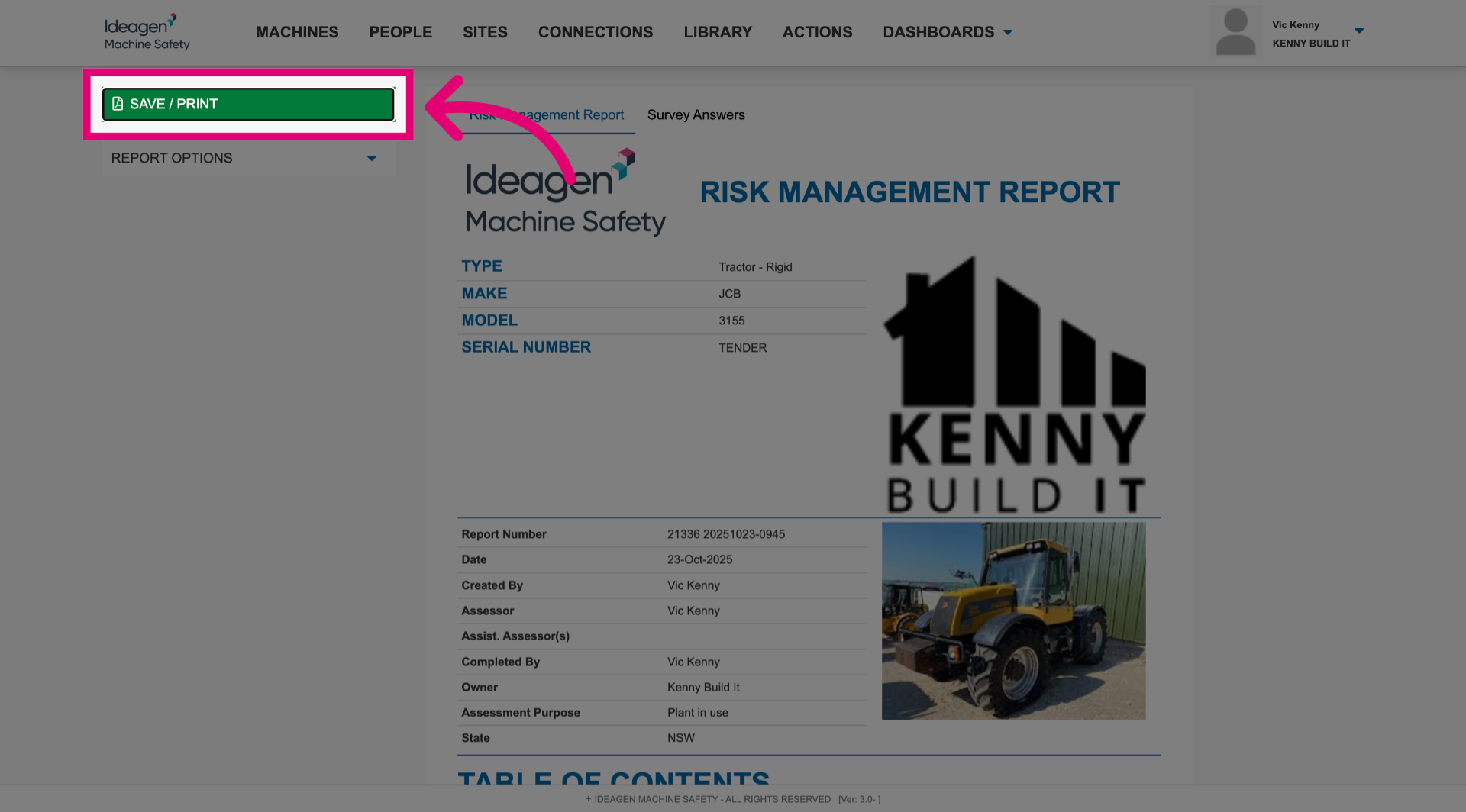
- Share the report via internal channels.
1.2. System email
To share a report:
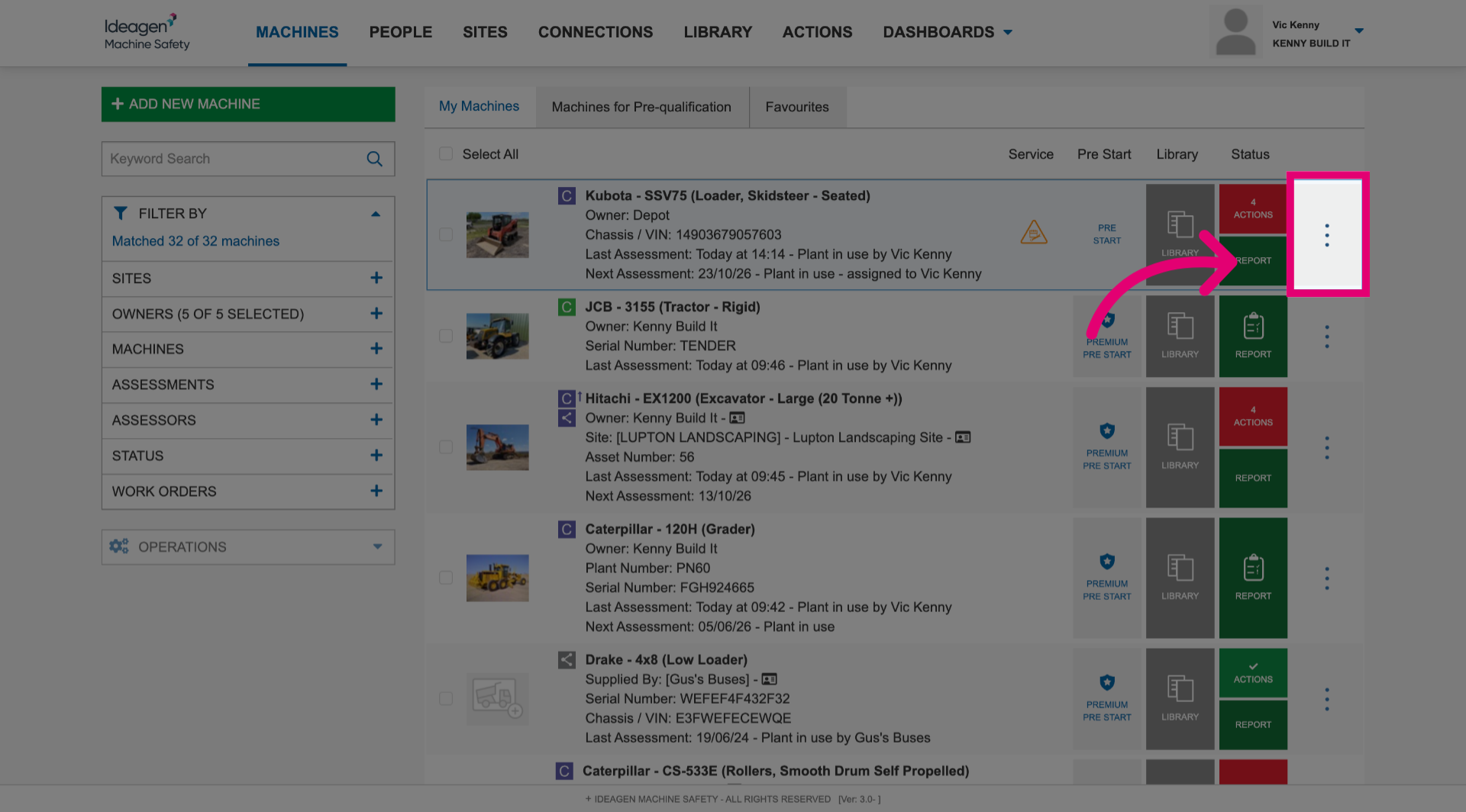
- Open the More menu next to the machine.
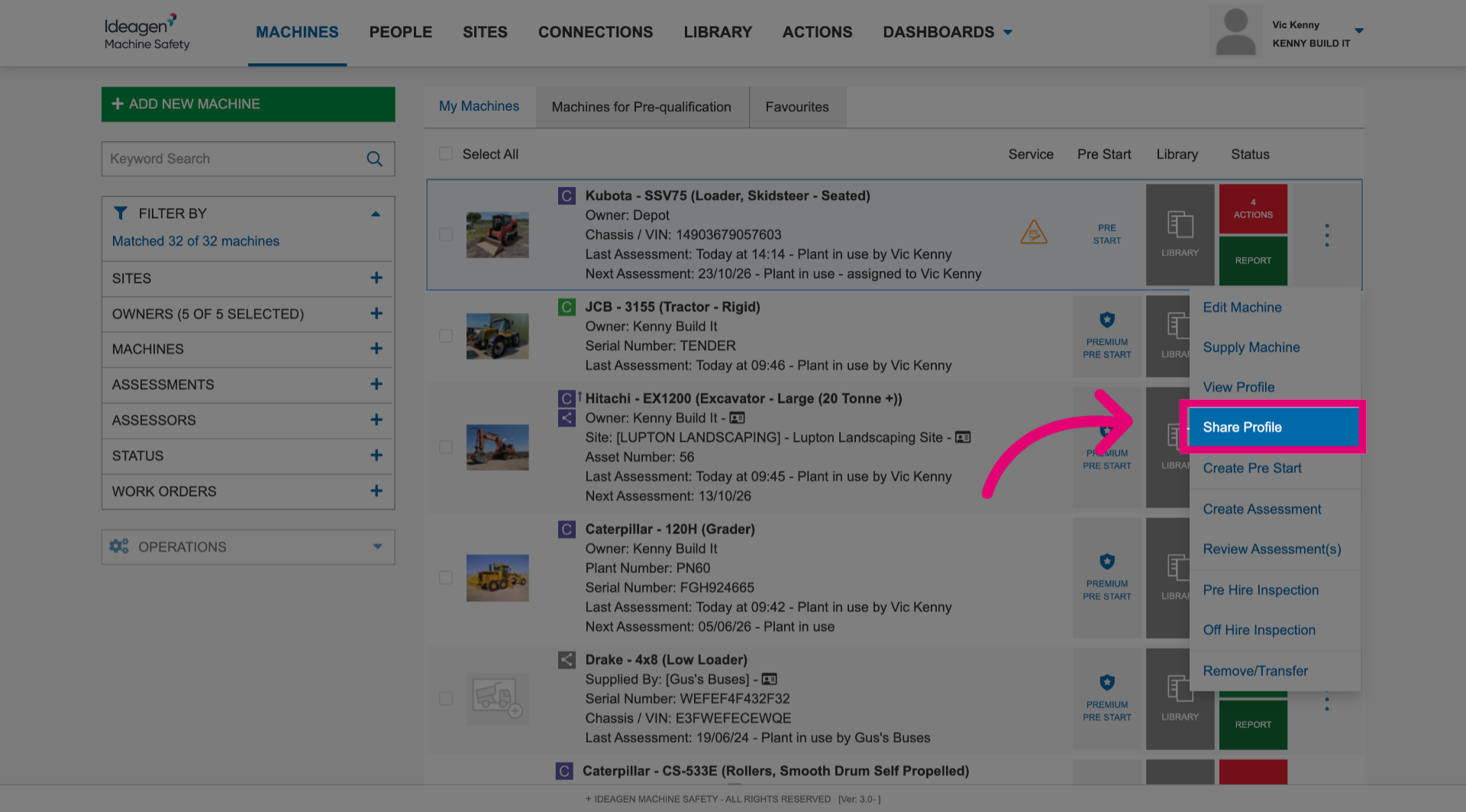
- Select Share profile.
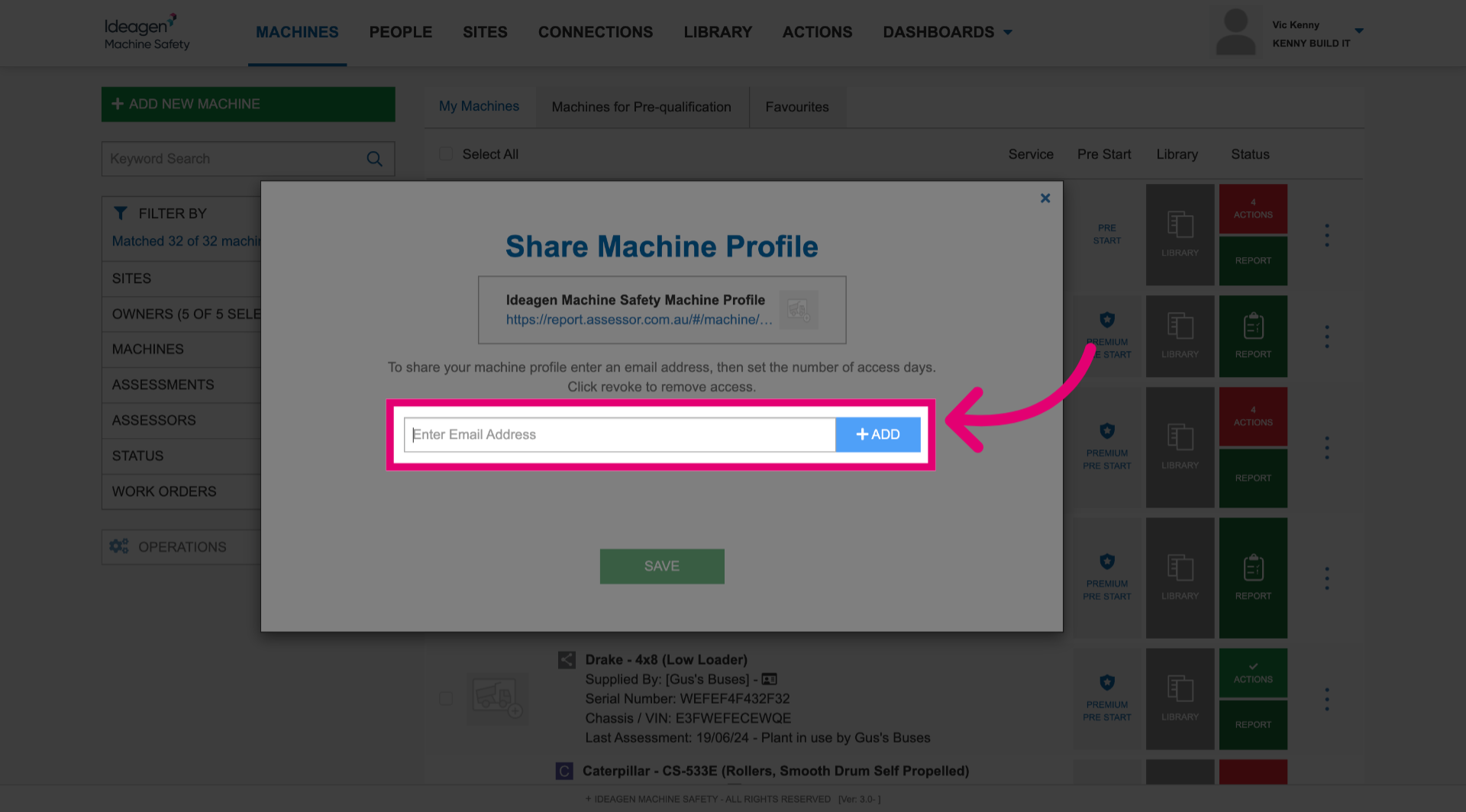
- Enter the email address of the person you'd like to share the report with.
- Click Add.
- Click Save.
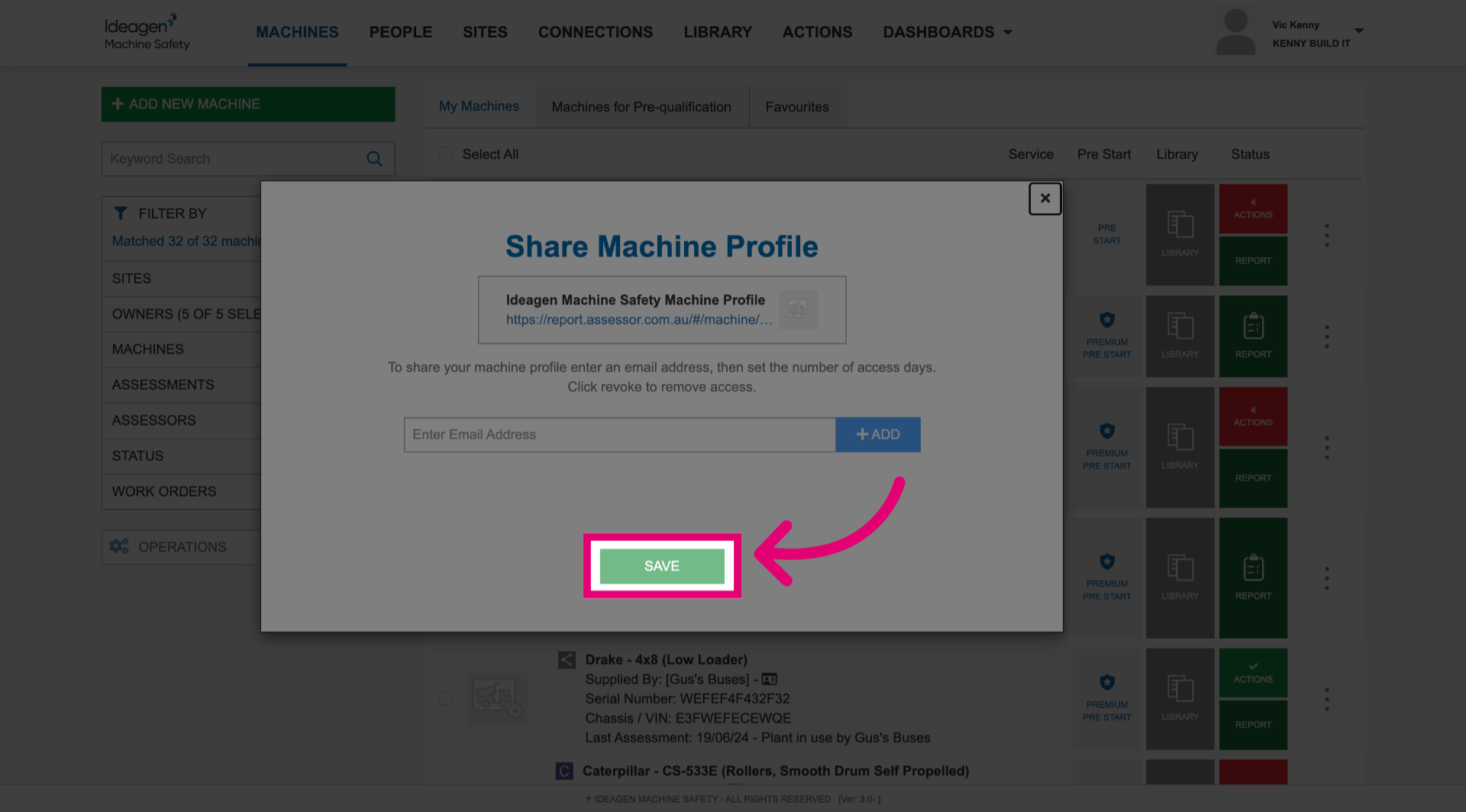
This will send the risk assessment report to the specified email address.