New article
Recently updated
Adding company documents

Who is this article for?Users responsible for document management.
No special access or permissions are required.
General company documents or membership documents can be added through the Library page. These documents are included by default when sharing a machine profile, unless public profiles have been enabled.
This article shows you how you can add company documents to the system
1. Adding a document
To add a company document:
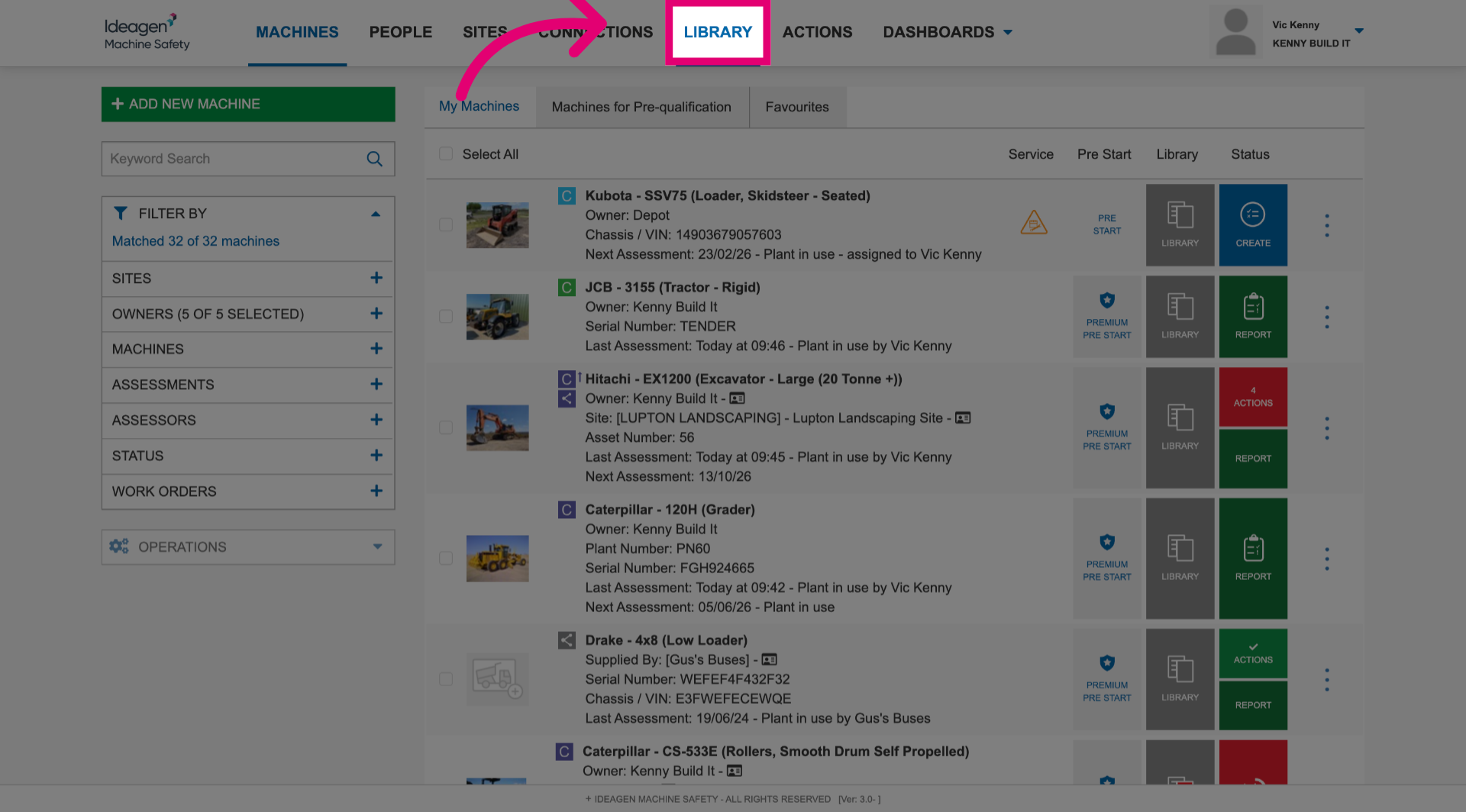
- Navigate to the Library section.
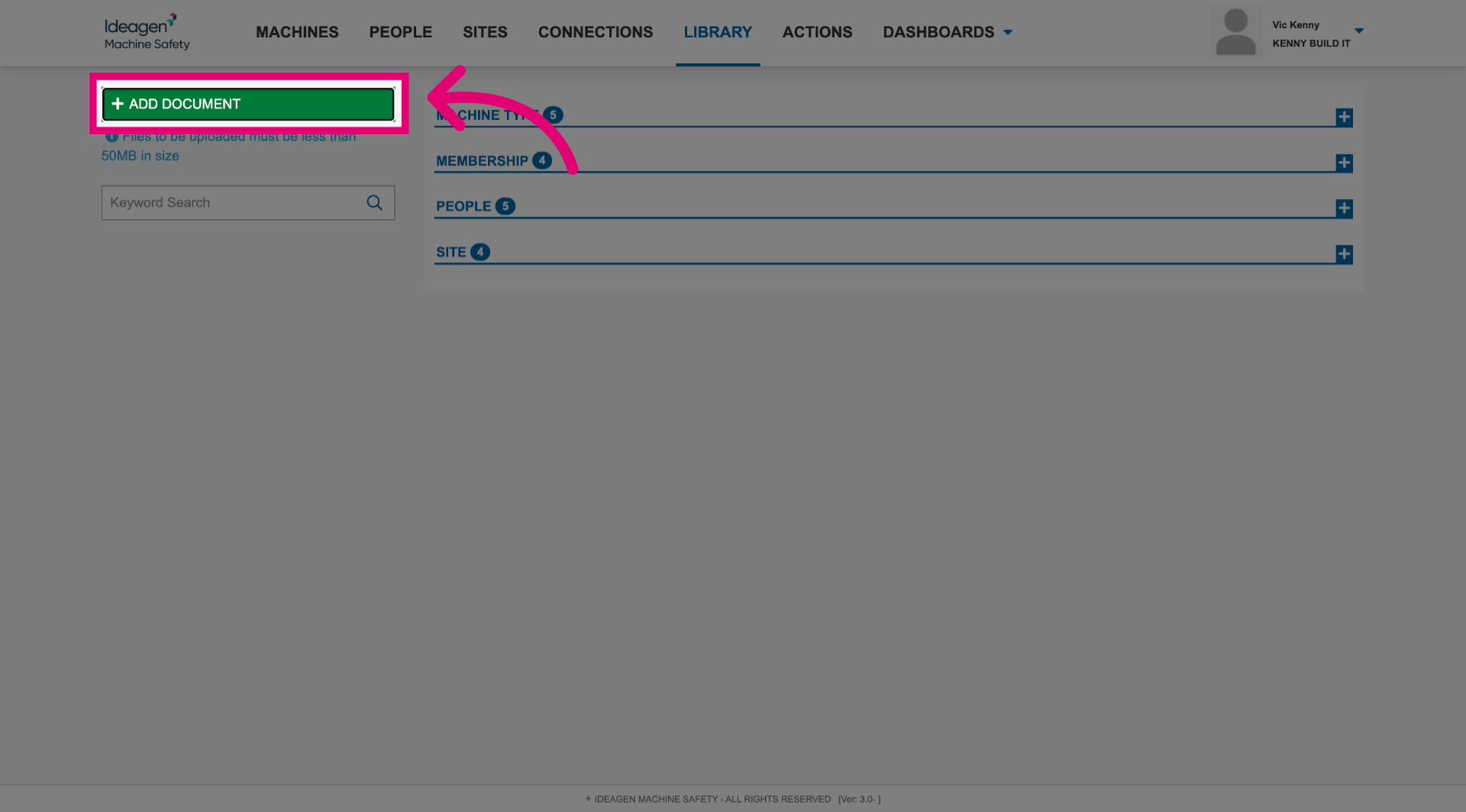
- Click Add Document.
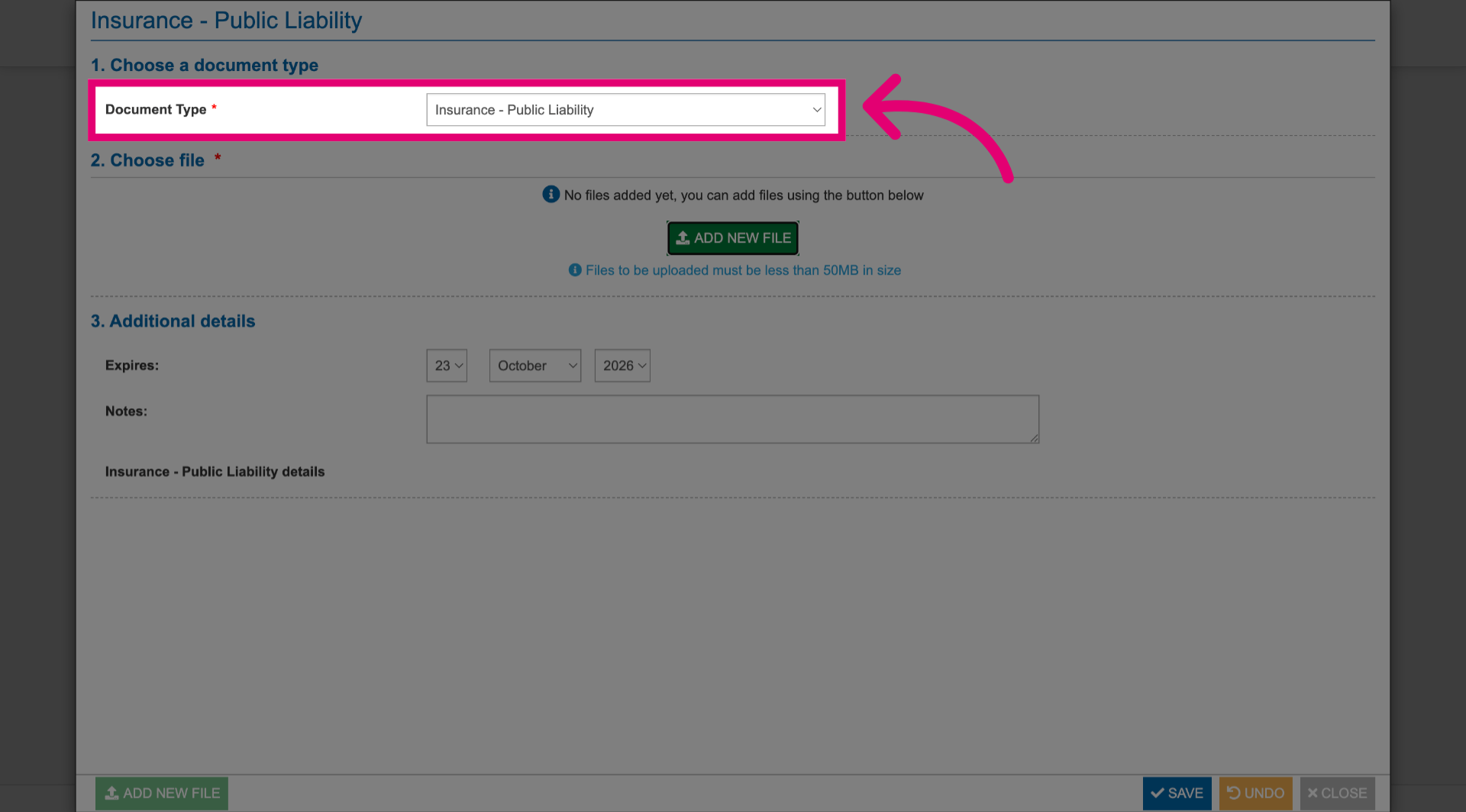
- Select Document Type.
This is the category the document will feature under.
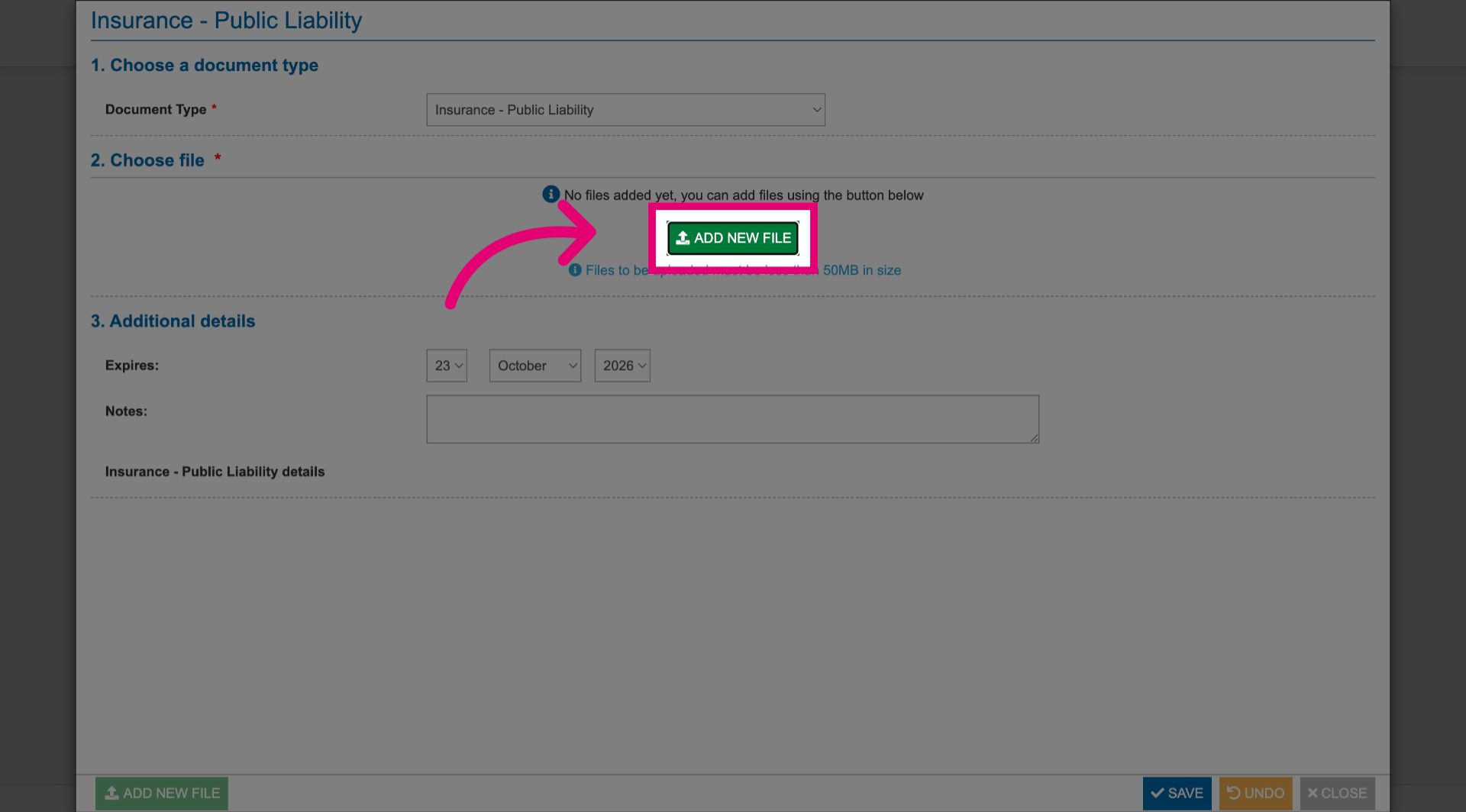
- Click Add New File.
- Select the file from your computer.
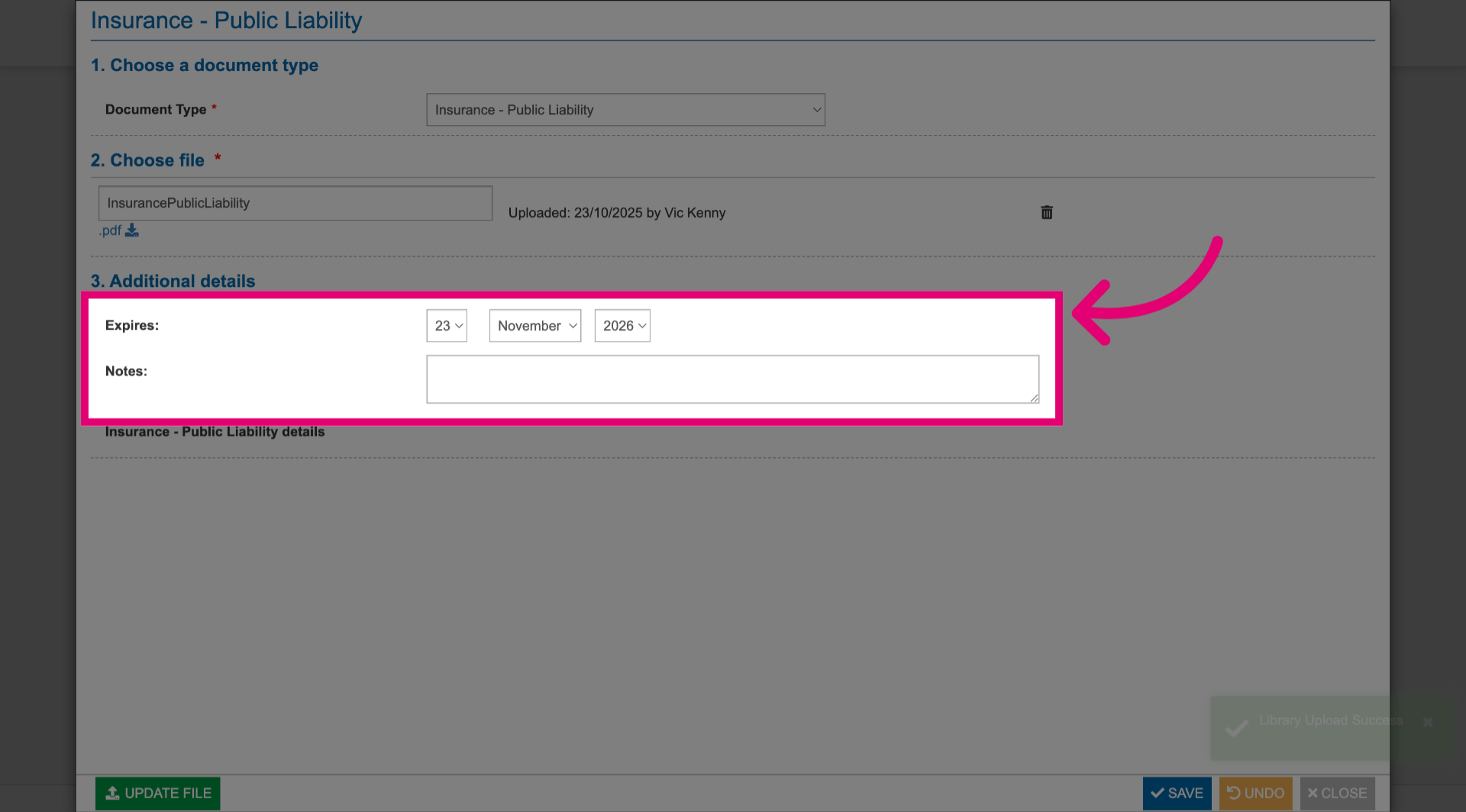
- Set an expiry date.
- Add notes.
- Click Save.
- Click Close.
Your document will be uploaded under the category you selected as a document type.
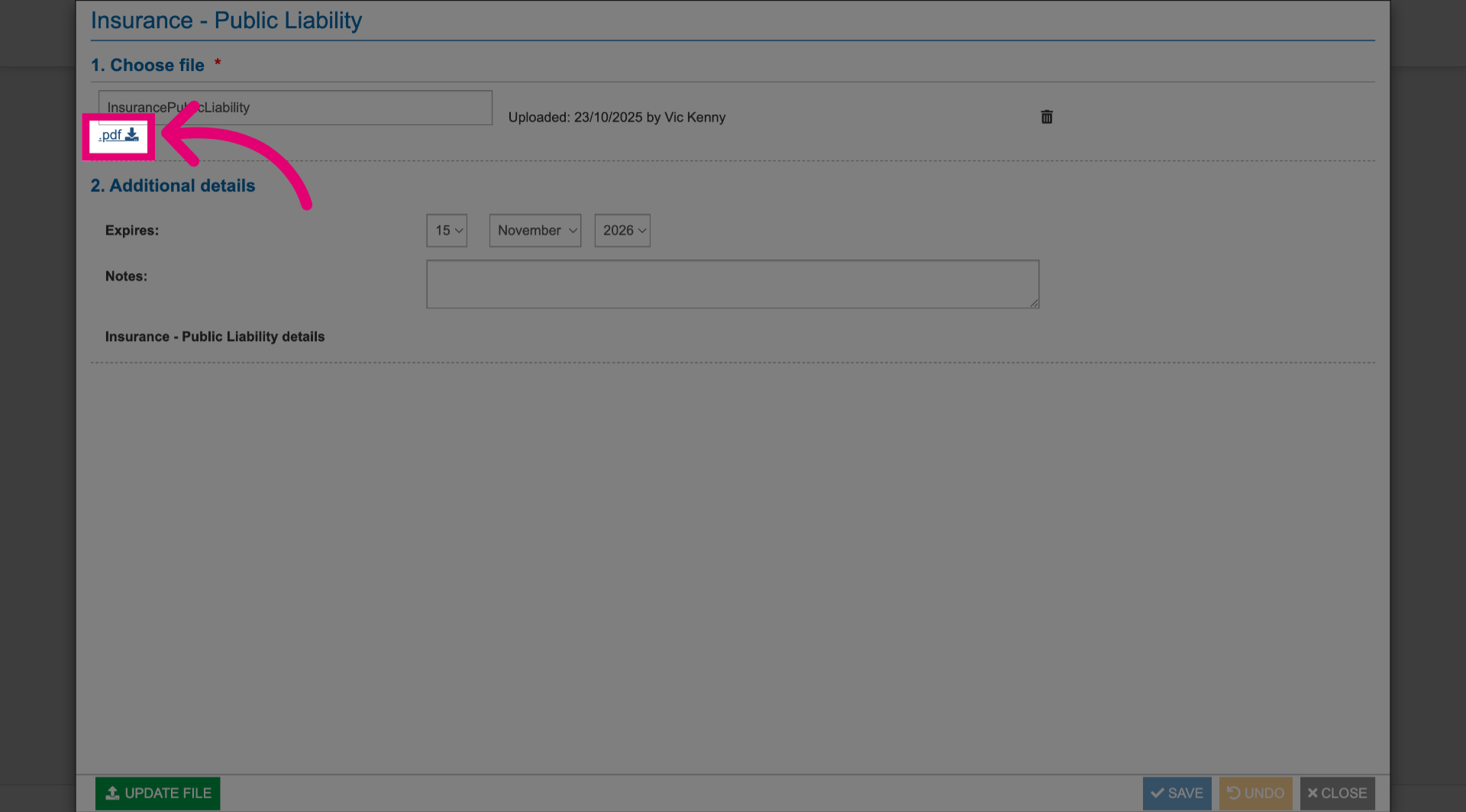
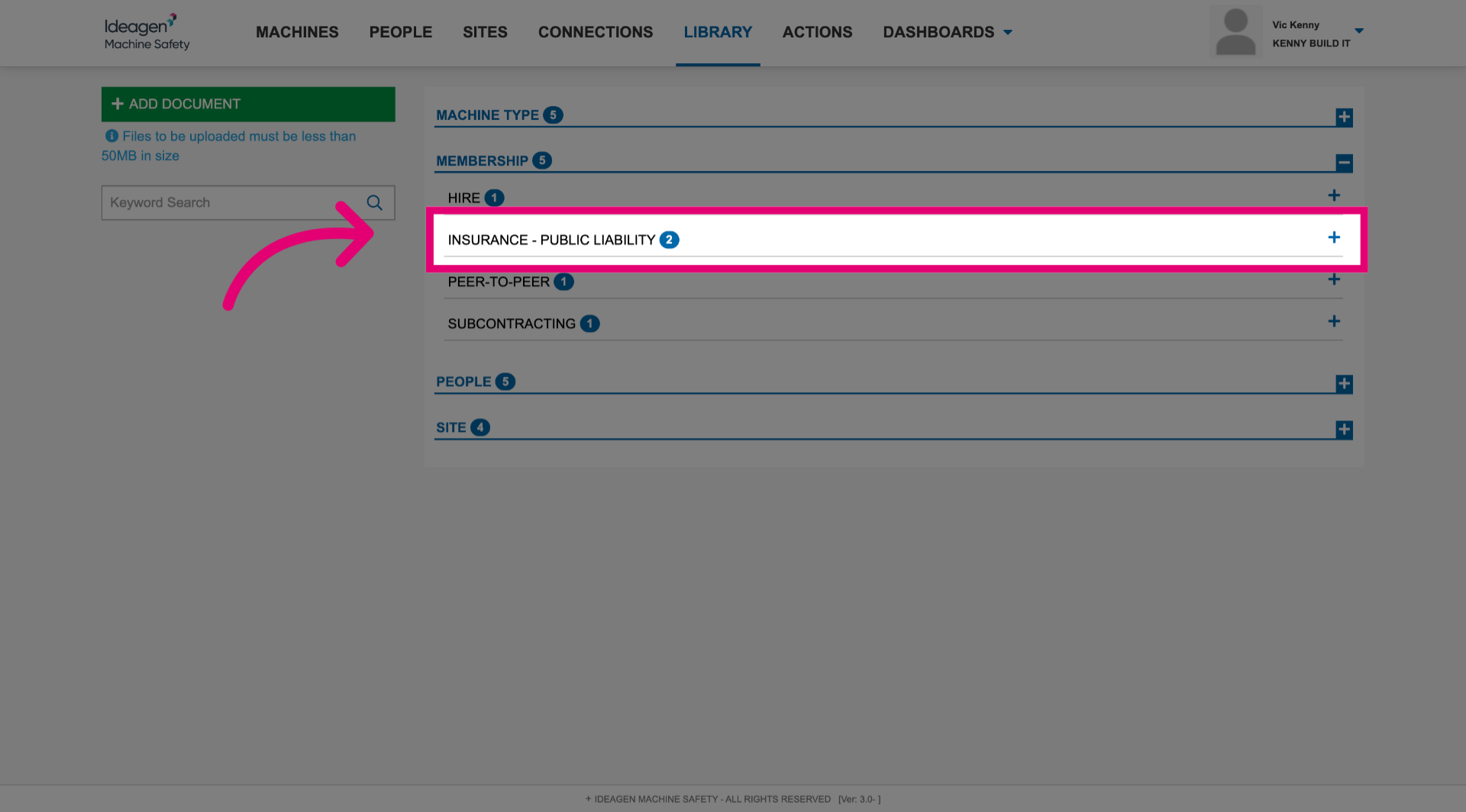 To download a local copy, click the title of the uploaded document.